
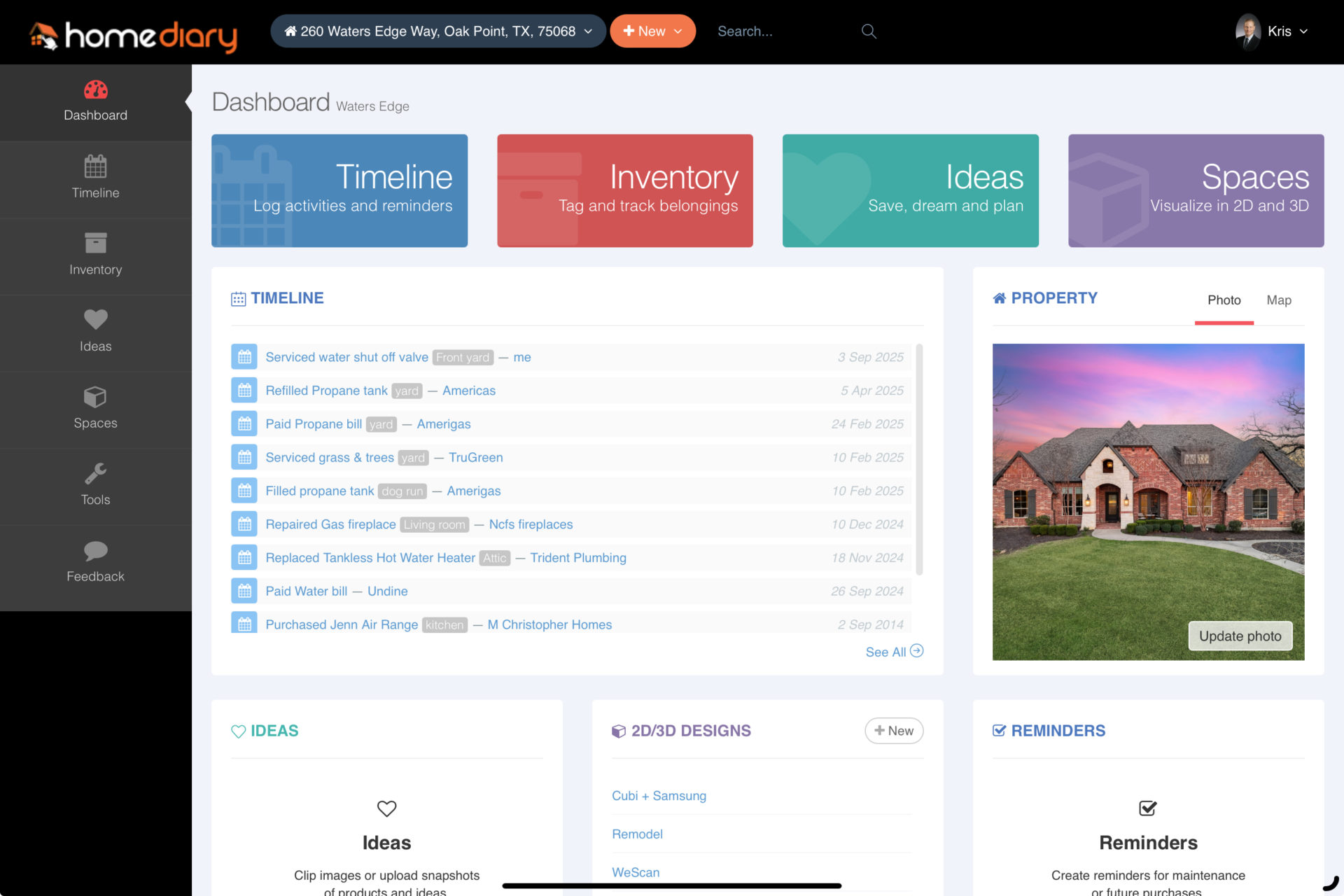
HomeDiary includes 5 main apps: Timeline, Inventory, Ideas, Reminders and Spaces.
- Timeline – think of this as a private Facebook wall – you can document anything you want and tag it to a space to create a digital record. Log the Who Did What, Where, When and How Much. Add notes, a photo or doc so you can refer to it later.
- Inventory – snap a photo of an item and tag it to a space.
- Ideas – its kind of like your own private Pinterest board, by space
- Reminders – create any kind of reminder, such as to change the water or air filter, file property taxes and more.
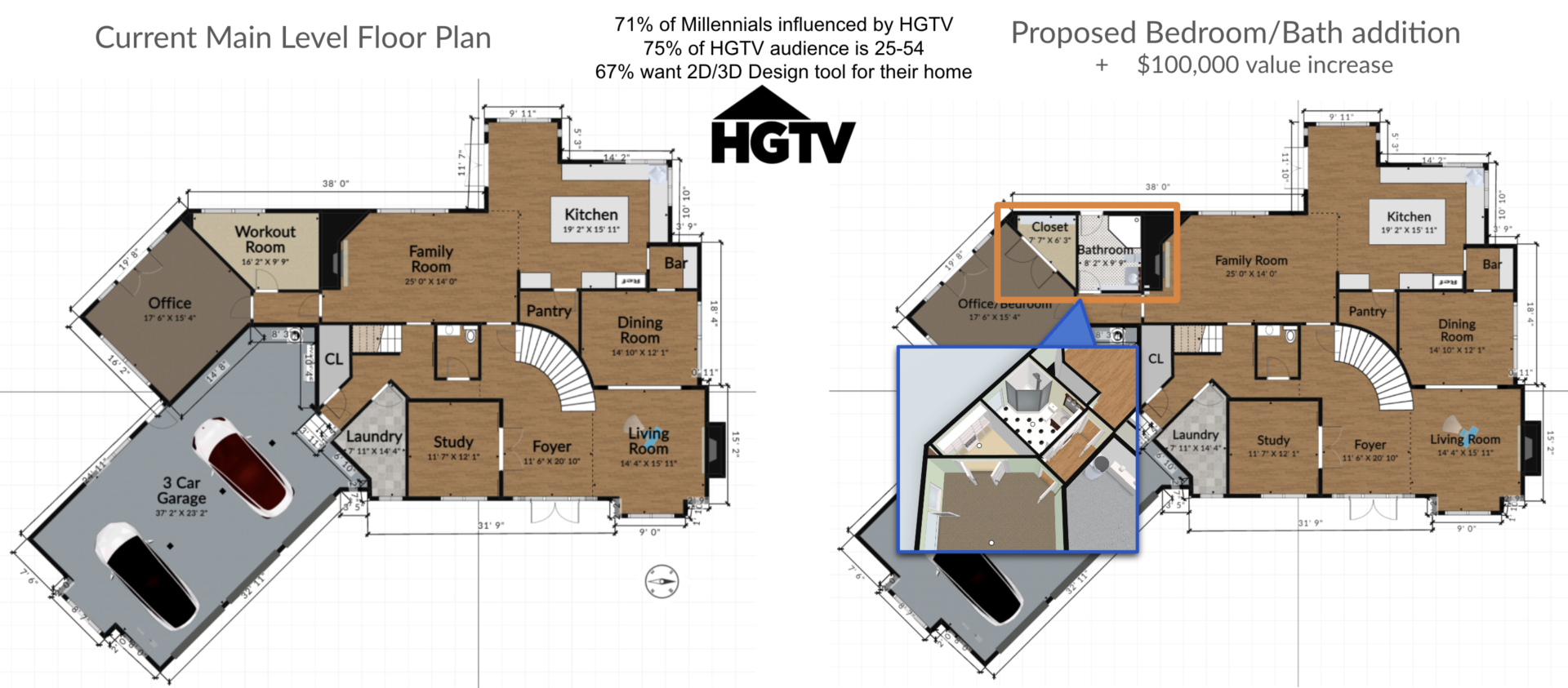
- Spaces – our HGTV-like 3D floor plan tool. Convert any source or draw on demand. It’s all real time editable and you can print or download and share with others.
Welcome to the HomeDiary for Homeowners
Here we explain what HomeDiary is, who it benefits, and why you might want to use this great app for your home.
Home Pros, such as real estate agents, insurance agents, builders and others, can use HomeDiary to help their clients manage their most valued assets, their homes. With the Sponsorship, a Home Pro can invite their client base and the homeowner can use HomeDiary for no cost. Over time we will add paid services, such as a floor plan conversion or creation service, perhaps some AI features, etc, but the base app is free.
Owners can use HomeDiary to share photos or edit the floor plan for anything – add or remove walls, change the flooring or wall colors, drag and drop furniture to create a moving guide or virtually stage/size furniture, or they can even use it as a landscape planning tool, such as to map out where artificial turf might go (which I highly recommend by the way). See the video below on the various use cases and even how to create floor plans in HomeDiary.
This is all provided for free as part of our Home Pro sponsorship program. This differs from our Claim Home process that is part of the virtual tour we create in that the Home Pro is the main sponsor and has presence throughout the HomeDiary app.
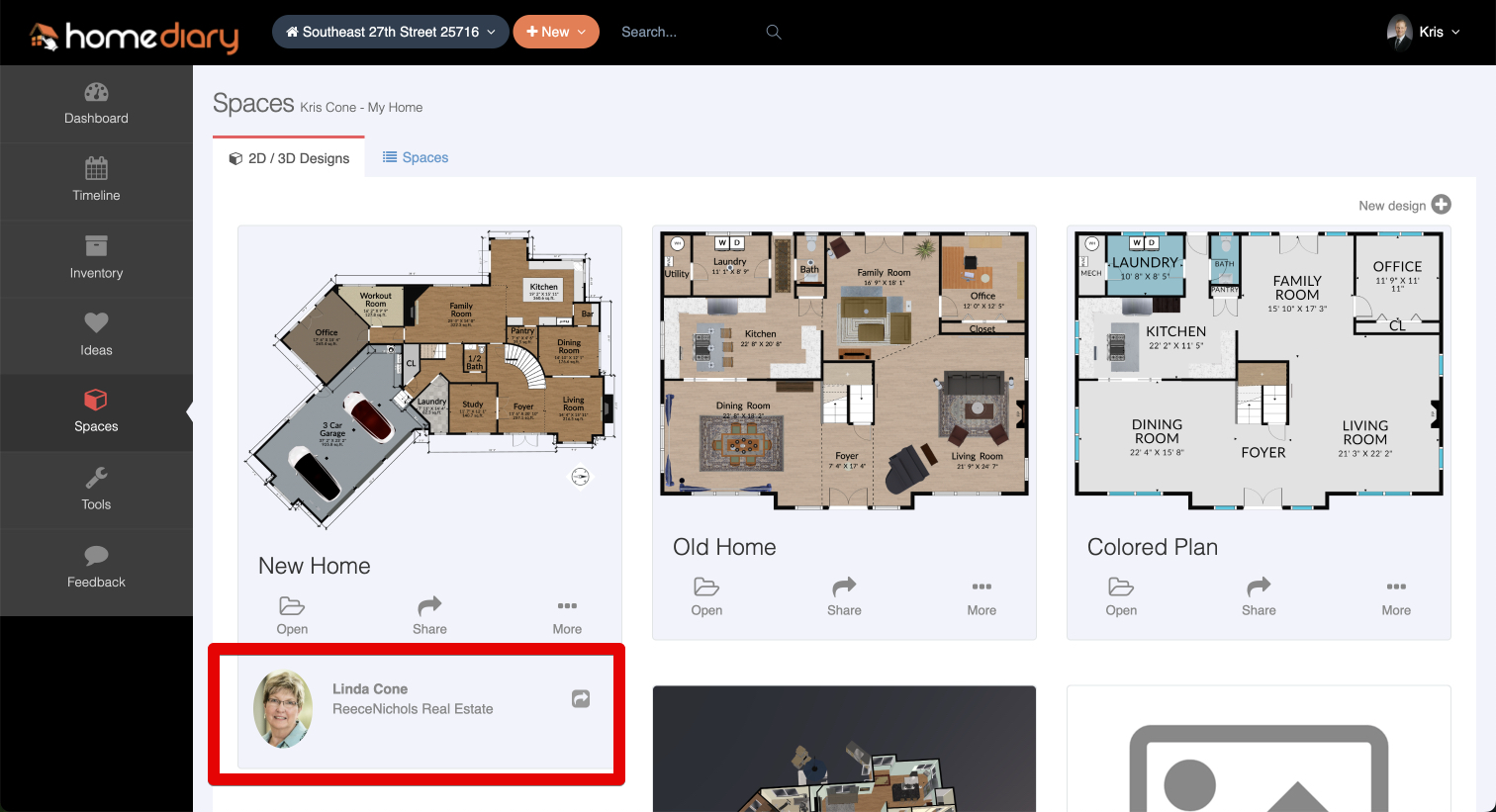
What can someone do with HomeDiary, and the 3D interactive floor plan claimed?
A lot! What we provide is similar to the floor plan tools people see on the popular HGTV shows, but it is very simple to draw walls, drag and drop furniture or change the flooring or wall colors. Use cases include:
|
|
See the short video below of what you can do in the floor plan tool, including using it for exterior landscape planning. We also go through how to create a floor plan from scratch if one did not exist on the initial Claim Home process, or if someone wants to create one for a different home. The video also highlights what a user can do in HomeDiary to log, manage and track key projects for their home.